How to Track a Bill on Congress.gov: A Reporter's Guide
By The National Press Association editorial team · Last reviewed:
To track a bill on Congress.gov, find its number, open the bill page, and read the tracker and summary. Then create a free account and set an alert on the bill. Choose which changes to follow, such as actions, amendments or new text. Alerts only work for current-Congress bills.
Key takeaways
- Start with the bill number, and check whether the bill has other numbers.
- The bill page gives you a tracker, a summary and related bills in one place.
- A free account lets you set alerts on a bill, and you choose which changes to follow.
- Official hearing transcripts can take months, so plan around video and prepared testimony.
- Congress.gov updates with a delay, so check early results before you publish.
Why start with Congress.gov?
Congress.gov calls itself the official website for U.S. federal legislative information [1]. It is a good place to start when you follow a federal bill.
The site holds records for all bills and resolutions introduced since 1973, the 93rd Congress [2]. You get current bills and a long back catalogue in one place [2].
Use it as a starting point, not your only check. Later sections show where its timing can trip you up.
How do you find the bill?
The first thing you need is a bill number [3]. Each new federal measure gets a prefix that shows its form and chamber of origin, plus a sequential number [2]. Read the prefix first. It tells you where the measure started.
A proposed piece of legislation takes one of four forms: bill, joint resolution, concurrent resolution or simple resolution [2]. The prefix tells you which one you have.
Bills may have several numbers [3]. Write down each number you find and confirm they point to the same measure [3].
If you only know the topic, use the search filters. You can filter legislation by Congress, bill type and status of legislation [2]. Each measure is assigned only one of 32 possible Policy Area terms, so a bill that touches several issues will sit under just one [1].
Short titles are added by hand after the bill text is published [1]. A brand-new bill may not have one yet.
One more warning. Any member can introduce any bill, no matter how trivial [3]. An introduced bill is not a bill that is moving, so check its status before you write.

Video from StetsonLawLibrary. Open at youtube.com. Content from youtube.com loads only if you click.
What does a bill page show?
The bill detail page shows a collapsible overview and eight tabs of information [2]. Knowing the layout helps you find what you need.
The overview includes a tracker that shows where the bill sits in the legislative process [2]. Use it to see the stage, then confirm the details in the other tabs.
The Summary tab holds bill summaries written by Legislative Analysts in the Congressional Research Service [2]. Read the summary before you read the full text. It gives you the outline.
The Related bills tab lists bills identified as related by the House, the Senate or the Congressional Research Service [2]. Check it before you call a bill "the" proposal on an issue.
In the current Congress, a bill or resolution normally appears under the Text tab a day or two after it is introduced on the floor [1]. Until then, you may have no text to read.
Committee papers can help you too. Sometimes the committee report gives an accurate plain-English explanation of what the bill does and why [3]. Committee votes taken during markup are published in the report that accompanies the proposed bill [4].
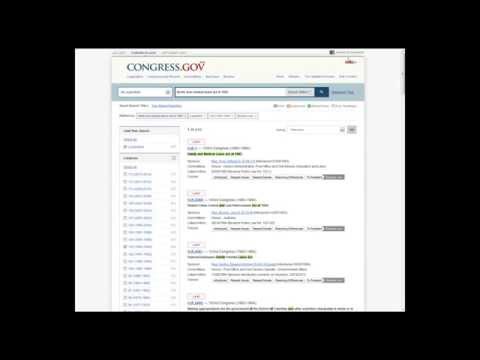
Video from Library of Congress. Open at youtube.com. Content from youtube.com loads only if you click.
If the stages are new to you, the Law Library of Congress offers webinar and in-person orientation overviews of Congress.gov [1]. The Congress.gov FAQ also points to a set of nine videos that explain the common legislative stages [1]. It notes that the path of a bill is rarely predictable [1].
Step by step: how do you set up a bill alert?
Alerts are emails sent when a bill, resolution, nomination, treaty document, Member profile or committee profile is updated [5]. They also go out when a saved search has new or changed results [5]. Here is how to set one up.
- Create a Congress.gov account. It only requires your name and email address [1].
- Open the page for your bill and look for the Get Alerts link. Only current-Congress measures, nominations and Members display it [5].
- Set the alert on the bill, not on the Member. Congress.gov says a bill alert is how you hear about later changes to the bill [5].
- Choose what to track. The options include cosponsors, actions, related bills, amendments, committees, titles, summary, subjects, CBO cost estimates and new text versions [5].
- Read the amendment option carefully. It alerts you when a new amendment is proposed, but it does not track changes to the amendment itself [5].
- Watch for the emails. Alert emails are generated at 8:30 AM and 1 PM Eastern, and your mail server can delay delivery [5].
Pick the options that match your story. A reporter on a spending bill may want cost estimates and new text. A reporter on a contested bill may want cosponsors and amendments.
How do you track people and topics?
A Member alert is sent when that Member sponsors or cosponsors a bill [5]. It will not follow what happens to the bill afterward. Congress.gov says to set the alert on the bill for that [5].
A saved search works for topics. You get an alert when the search has new or changed results [5]. A free account also lets you save searches and get email notices when something happens on a bill you follow [3].
Congress.gov saves the search with the actual dates at the time you save it [5]. Check those dates so your search does not quietly go stale.
Committee profile alerts are sent when a measure, executive communication, nomination or treaty is referred to the committee [5]. They also go out when the committee publishes a report, print or meeting announcement [5].
Alerts only cover current-Congress bills and nominations, and currently serving Members [1]. Items from earlier Congresses generally will not have new information added [1].
How do you follow hearings?
The Committee Schedule combines announcements about future House and Senate meetings into a single calendar [4]. Start there when you need to know what is coming.
You can get a weekly email every Monday listing all committee meetings scheduled for that week [4]. Select Get Weekly Alerts at the top left of the Committee Schedule page [4]. Congress.gov says the Monday email carries the updated schedule [5].
Senate Committee Procedure Rules mandate announcing the date, place and subject matter of most hearings at least one week ahead [4]. That gives you time to plan, though it applies to most hearings, not all of them [4].
The Senate's own hearing guide also points to the Daily Digest for a schedule of upcoming hearings [6].
Know which kind of hearing you are covering. Legislative hearings are the most common. They gather information about a bill or bills the committee is considering for possible enactment [4].
Announcement coverage has limits. House committee meeting announcements are available from January 2017, and Senate announcements from June 2019 [4].
How do you get the record of a hearing?
Do not count on an official transcript right away. Whether a published, GPO-authenticated hearing transcript exists at all is up to each committee [4]. A lag of often months separates the hearing from the official transcript [4].
The Senate guide says it may take several months, or even years, for a hearing to be published [6]. When it is published, the transcript contains all witness testimony, the question-and-answer portion, and any other material the committee requested of the witness [6].
In the meantime, look for prepared testimony. The testimony posted early is generally the witnesses' prepared statements. It will not contain the question-and-answer portion [6]. Generally, testimony is only available for witnesses who submitted their statements electronically [6].
Unofficial transcripts may be available on some committee websites [4]. Treat them as unofficial and say so if you quote them.
Video can fill the gap, but availability varies by committee [4]. House meeting videos are available from 2011 to the present. Senate meeting videos are available from January 2024 to the present [4].
For older hearings, many officially published hearings since the 105th Congress (1997-1998) are available in full text on the GovInfo (GPO) website [6].
If you need a quote from the question-and-answer portion, watch the video where it exists. Prepared statements will not have it [6].
What are the timing limits?
Current-Congress information is usually updated the morning after House or Senate chamber sessions adjourn [7]. Expect a day of delay on fast-moving news.
A bill considered on the floor the same day it is introduced will appear in an On the Floor email that day. It will not be on Congress.gov until the next day [1].
Full text can take longer. Congress.gov's coverage-dates page says full text of Senate bills usually takes at least 5 business days to appear [7]. Because GPO is the source of bills for Congress.gov, a bill may appear sooner on GPO. [1]
Texts not yet published by GPO may be available from Bills to Be Considered or committee websites [7].
The tracker can lag too. The Society of Environmental Journalists warns that the Congress.gov tracker may start running late, so you should always ground-truth your initial results [3].
Older records have gaps. Committee and subcommittee actions are not available for legislation from 1973 to 1980, except for reporting from committee [7].
A reporter's checklist before you publish
- Confirm the bill number, and check whether the bill has other numbers [3].
- Check the status in the tracker, then check the action details behind it [2].
- Read the CRS summary, then read the text if it is posted [2].
- Look at related bills before you describe the proposal as unique [2].
- Remember that any member can introduce any bill [3].
- Check the date on the information, since updates arrive after a delay [7].
- For hearings, note whether you are quoting prepared testimony, video or an official transcript [6].
- Ground-truth early results from the tracker [3].
Keep a note of what you checked and when. If you want another way to document your work as an independent reporter, you can join the National Press Association and read our guide to press credentials for independent reporters. An NPA credential is not government-issued. It does not give you legal rights or access.
For state bills, check your state's law and legislature website. Virtually every state legislature has a website that incorporates some kind of bill tracker [3].
Frequently asked questions
Do I need an account to set up bill alerts on Congress.gov?
Yes. Congress.gov says you must first create an account, and the account only requires your name and email address. The Society of Environmental Journalists adds that a free account lets you save searches and get email notices when something happens on a bill you follow.
Can I get an alert for a bill from a past Congress?
Generally no. Alerts are only available for current-Congress bills and nominations and for currently serving Members, because items from earlier Congresses generally will not have new information added. The Get Alerts link shows only on current items.
What can I choose to track when I set an alert on a bill?
You can choose from cosponsors, actions, related bills, amendments, committees, titles, summary, subjects, CBO cost estimates and new text versions. Amendment tracking alerts you to new amendments, but not to changes in an amendment already filed.
How do I find out when a congressional hearing is scheduled?
Use the Committee Schedule on Congress.gov, which combines House and Senate meeting announcements in one calendar. You can also select Get Weekly Alerts to receive a Monday email listing that week's committee meetings.
Why can't I find the transcript of a hearing that already happened?
Official transcripts are published at each committee's discretion, and a lag of often months is common. Look for witnesses' prepared statements, committee video or unofficial transcripts on committee websites. Prepared statements will not contain the question-and-answer portion.
Why isn't a bill that was just introduced showing up on Congress.gov yet?
Congress.gov usually updates the morning after chamber sessions adjourn, and bill text normally appears a day or two after introduction. Its coverage-dates page says full text of Senate bills usually takes at least 5 business days to appear. The bill may appear sooner on GPO.
Answers restate the sourced facts on this page.
NPA membership is separate from any credential an agency issues
The National Press Association credential is a private association credential. It is not government-issued, it does not give you legal rights, and it does not guarantee access to any event, venue, or agency. It can serve as identity verification and supporting documentation alongside your published work. It is free to apply.
Sources
- Frequently Asked Questions, Congress.gov (Library of Congress) (primary source; retrieved October 24, 2026)
- About Legislation of the U.S. Congress, Congress.gov (Library of Congress) (primary source; retrieved October 24, 2026)
- Bill Trackers a Boon for Covering Federal, State Legislation, Society of Environmental Journalists (SEJournal Online) (secondary source; retrieved October 24, 2026)
- About the Committee Schedule, Meetings and Hearings, Congress.gov (Library of Congress) (primary source; retrieved October 24, 2026)
- About Alerts, Congress.gov (Library of Congress) (primary source; retrieved October 24, 2026)
- How to Find Committee Hearings, U.S. Senate (primary source; retrieved October 24, 2026)
- Coverage Dates for Congress.gov Collections, Congress.gov (Library of Congress) (primary source; retrieved October 24, 2026)
Six of seven sources are primary (Congress.gov help pages from the Library of Congress, and the U.S. Senate). One secondary source (SEJ) adds working-reporter advice; it was published March 18, 2020, so use it for general cautions, not current site features.
Last reviewed: .